USMT Dash
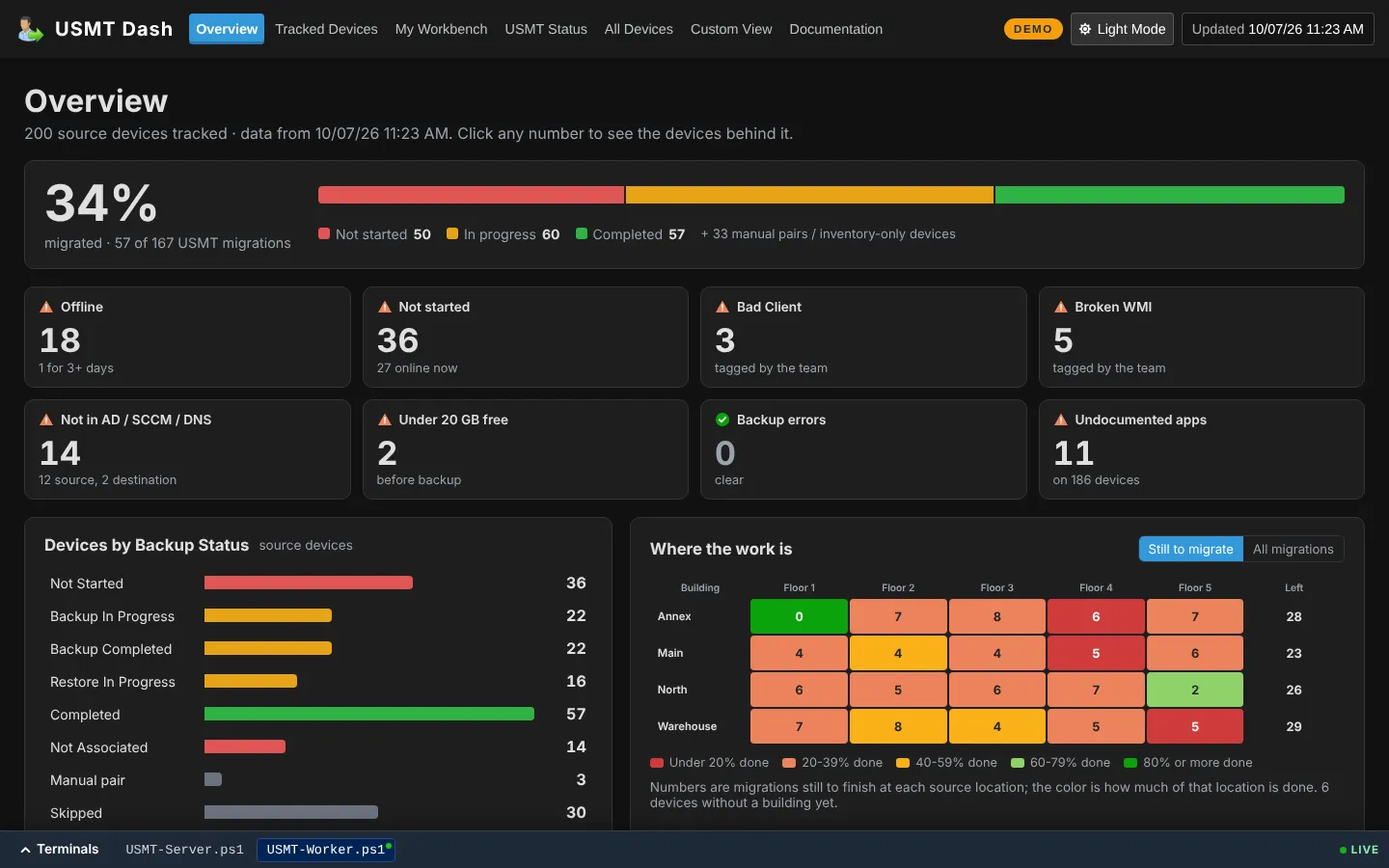
A real-time migration dashboard over SCCM that took a six-person refresh team from about 10 builds a day to 25. PowerShell from end to end, with a live public demo.
{
- date = 2026.08
- Released
- status = Live
- Status
- role = Sole developer · Technical lead
- Role
- type = Software & Tools, Web
- Category
- stack = PowerShell · HttpListener · SQL (ConfigMgr) · Active Directory · HTML/JS · Docker · Coolify
- Built with
}
The problem
On a large hardware refresh, every old PC gets backed up with USMT, paired with its new machine in ConfigMgr (SCCM), and restored. Checking a single device in the ConfigMgr console took about a minute: is the association there, did the backup start, is the box even on the network? On a 1,300-device refresh with a six-person team, those minutes added up to the bottleneck.
What I built
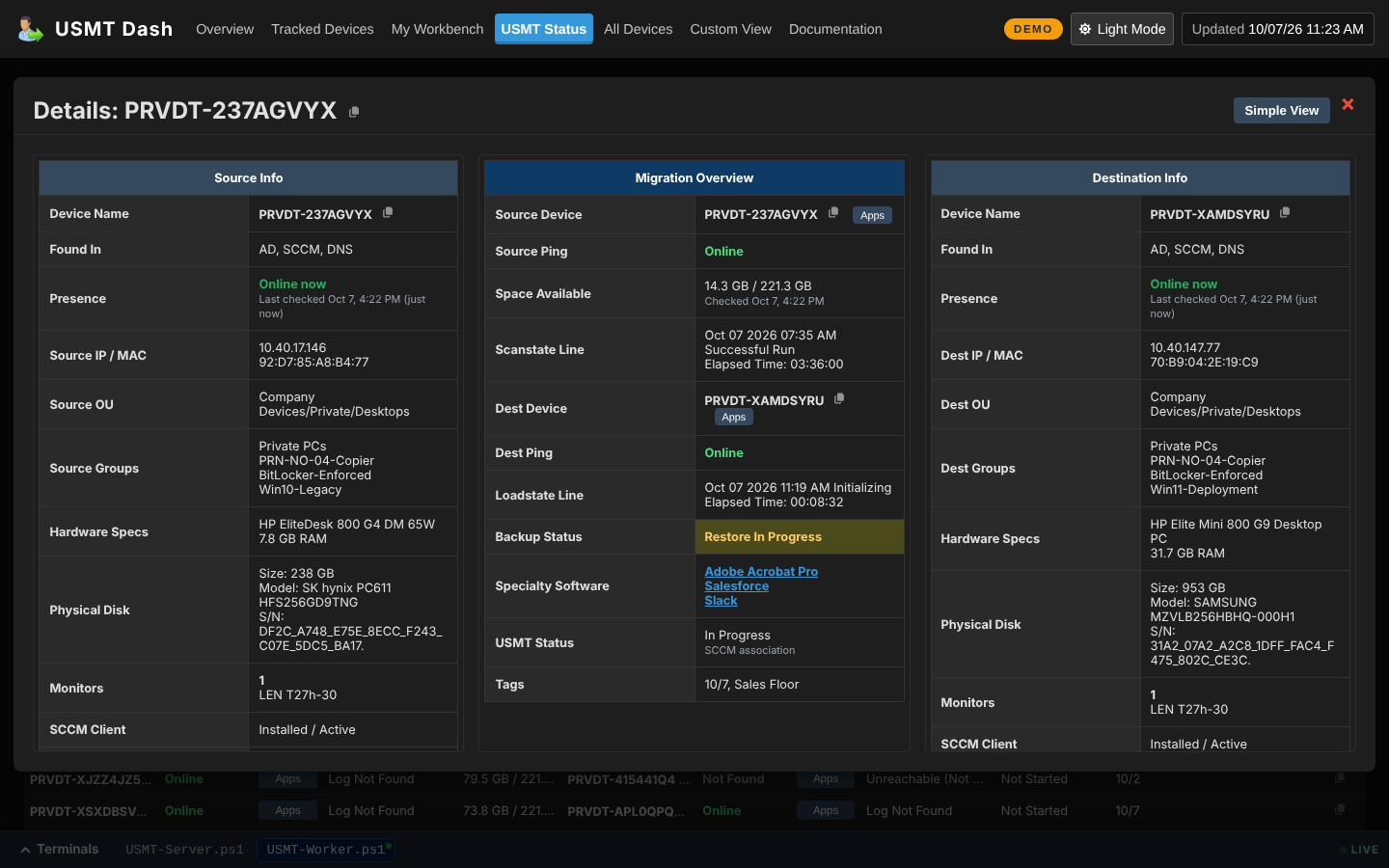
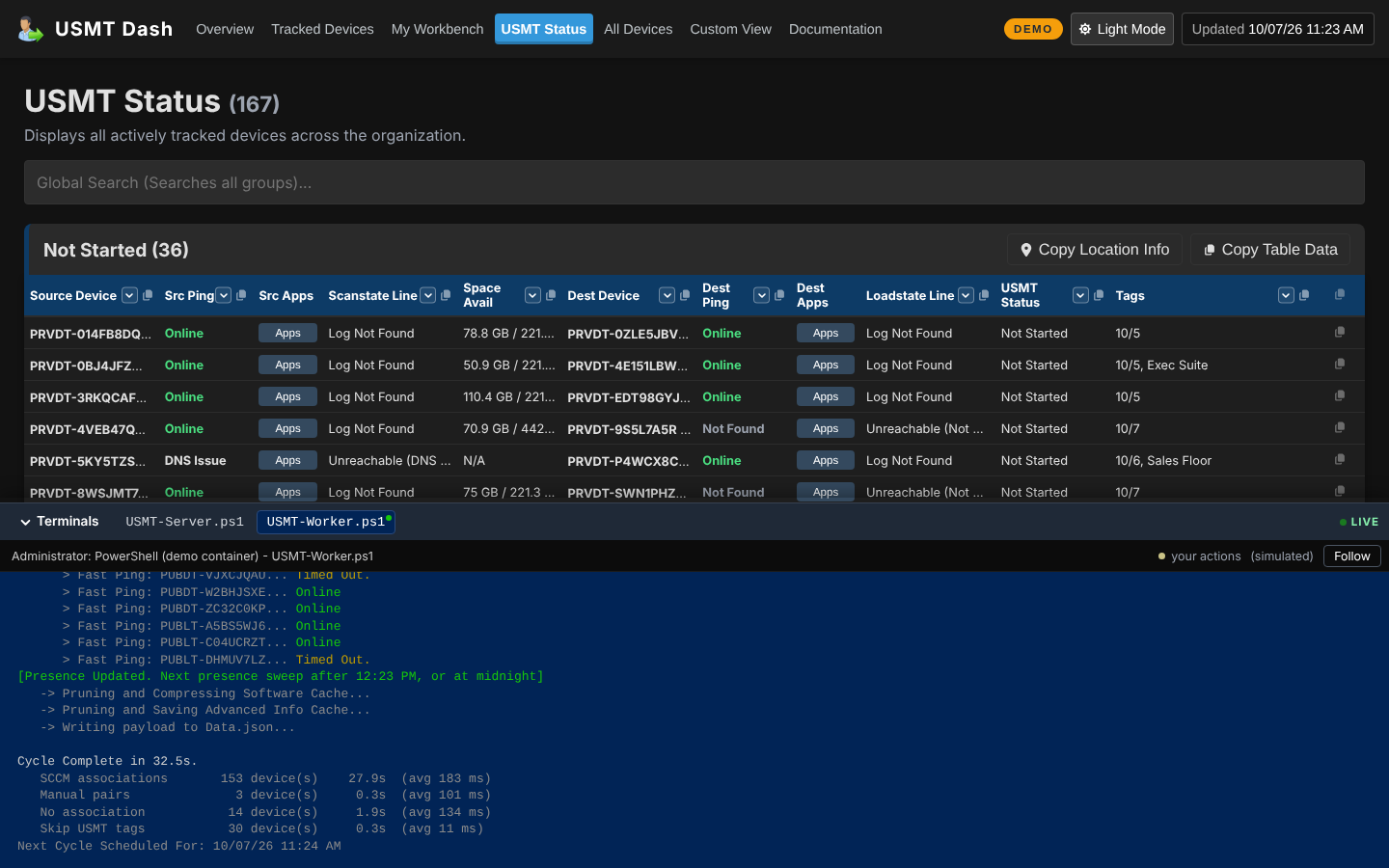
USMT Dash is one shared live view of the whole refresh. Every device answers in under a second, and the overview page is built to drive the refresh’s open issues to zero.
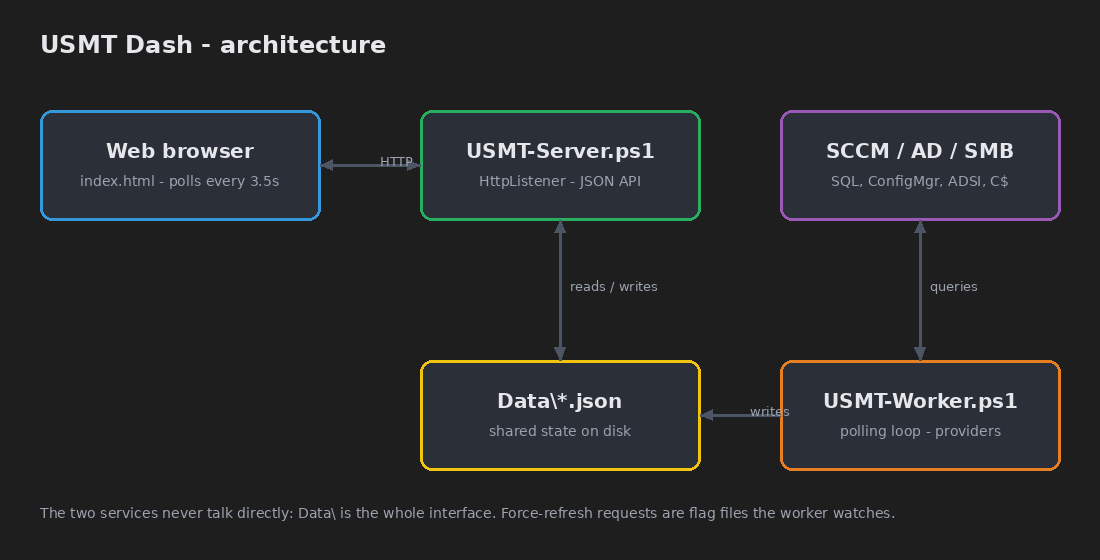
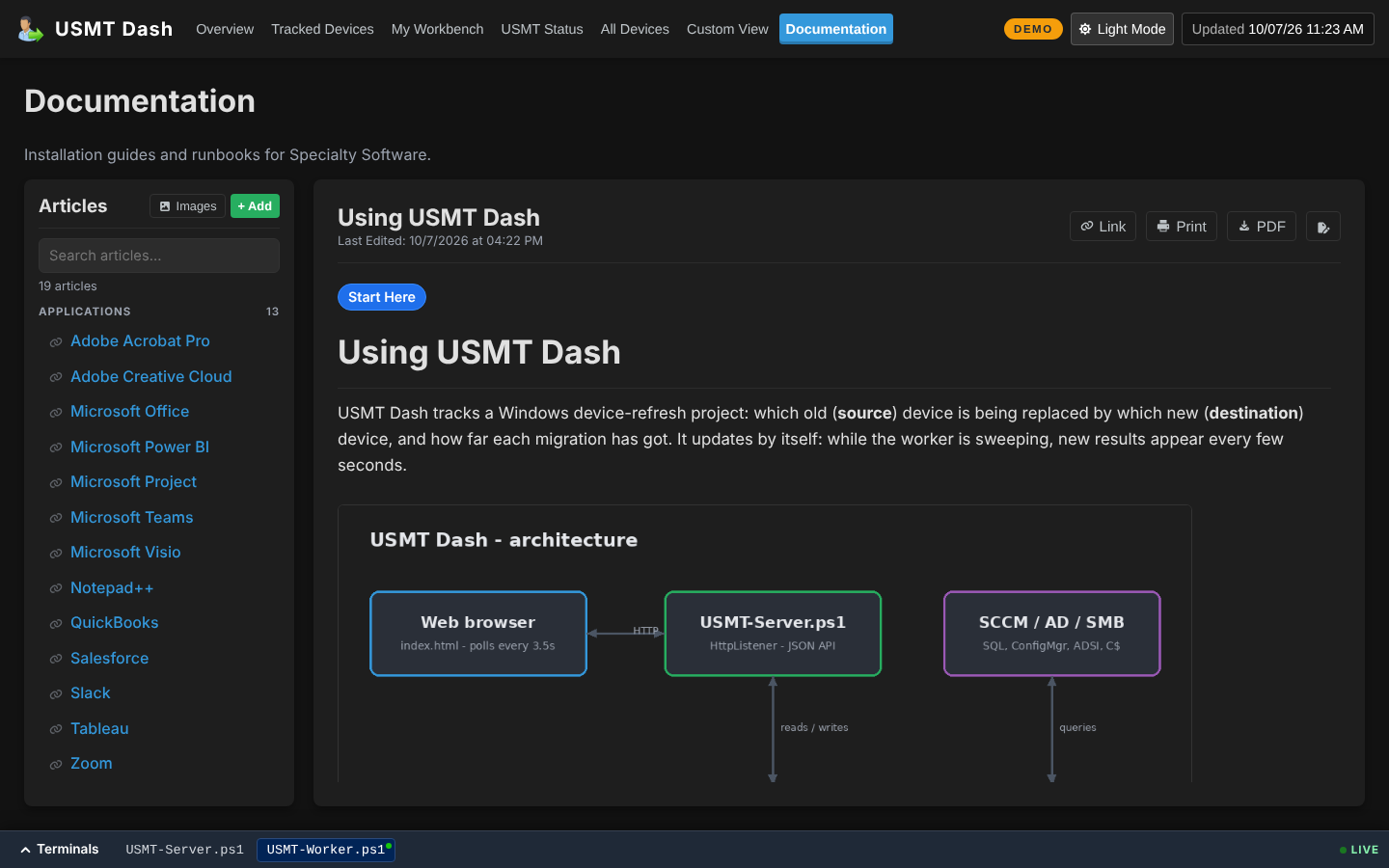
It’s PowerShell from end to end, with no web framework, database server or runtime beyond PowerShell. That was deliberate: it had to run on locked-down hospital infrastructure where installing a stack wasn’t an option.
- Server: a
System.Net.HttpListenerweb server with a 17-route JSON API, IP allowlist and gzip. - Worker: a polling loop that queries SCCM’s SQL database, Active Directory, DNS/ICMP and admin shares, works out each device’s state, and writes JSON.
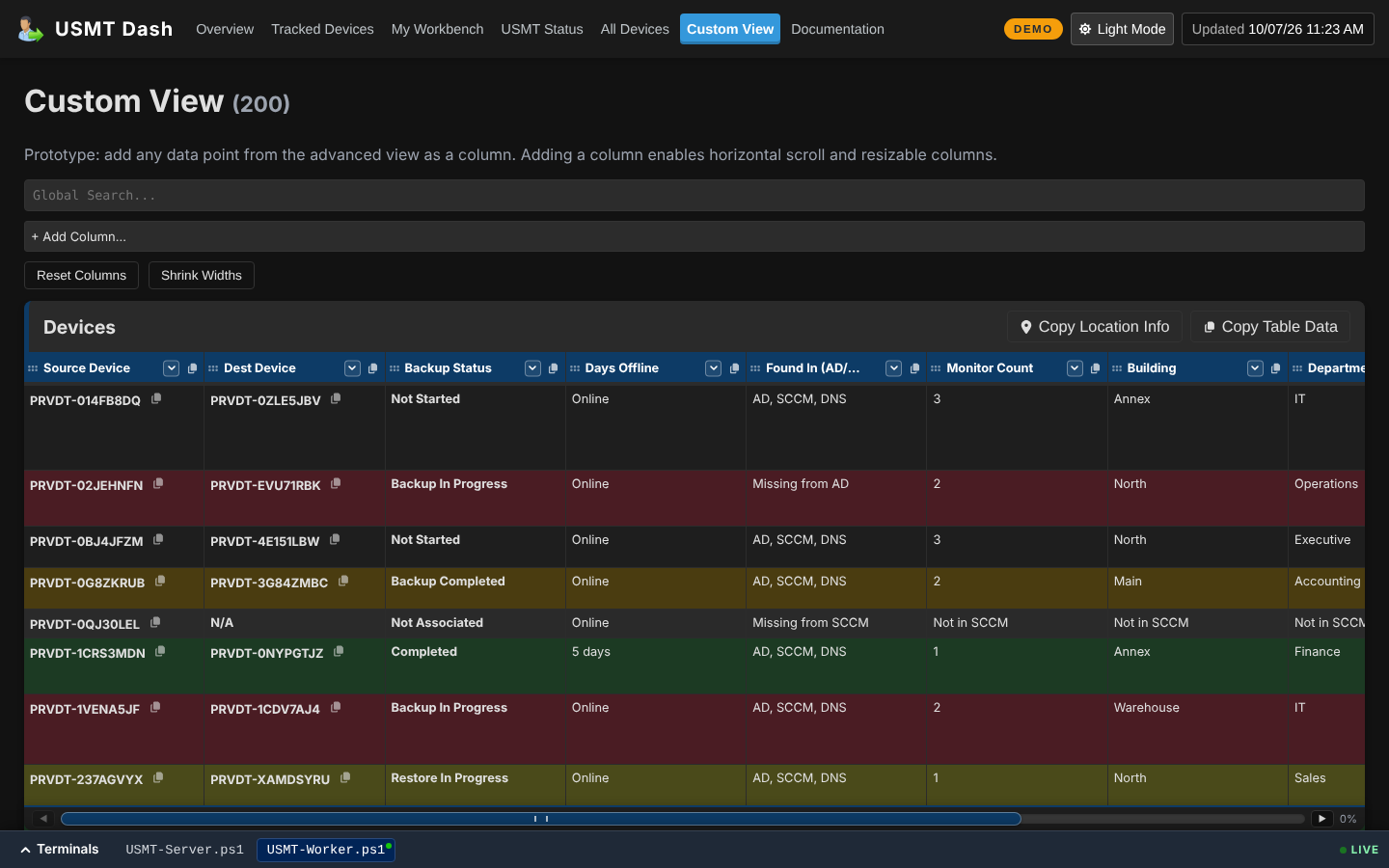
- Front end: a single-file HTML/JS dashboard of about 4,600 lines, with routing, Excel-style filters, a knowledge base and a mobile card layout.
Details that mattered
- A smart status engine. It combines ConfigMgr’s
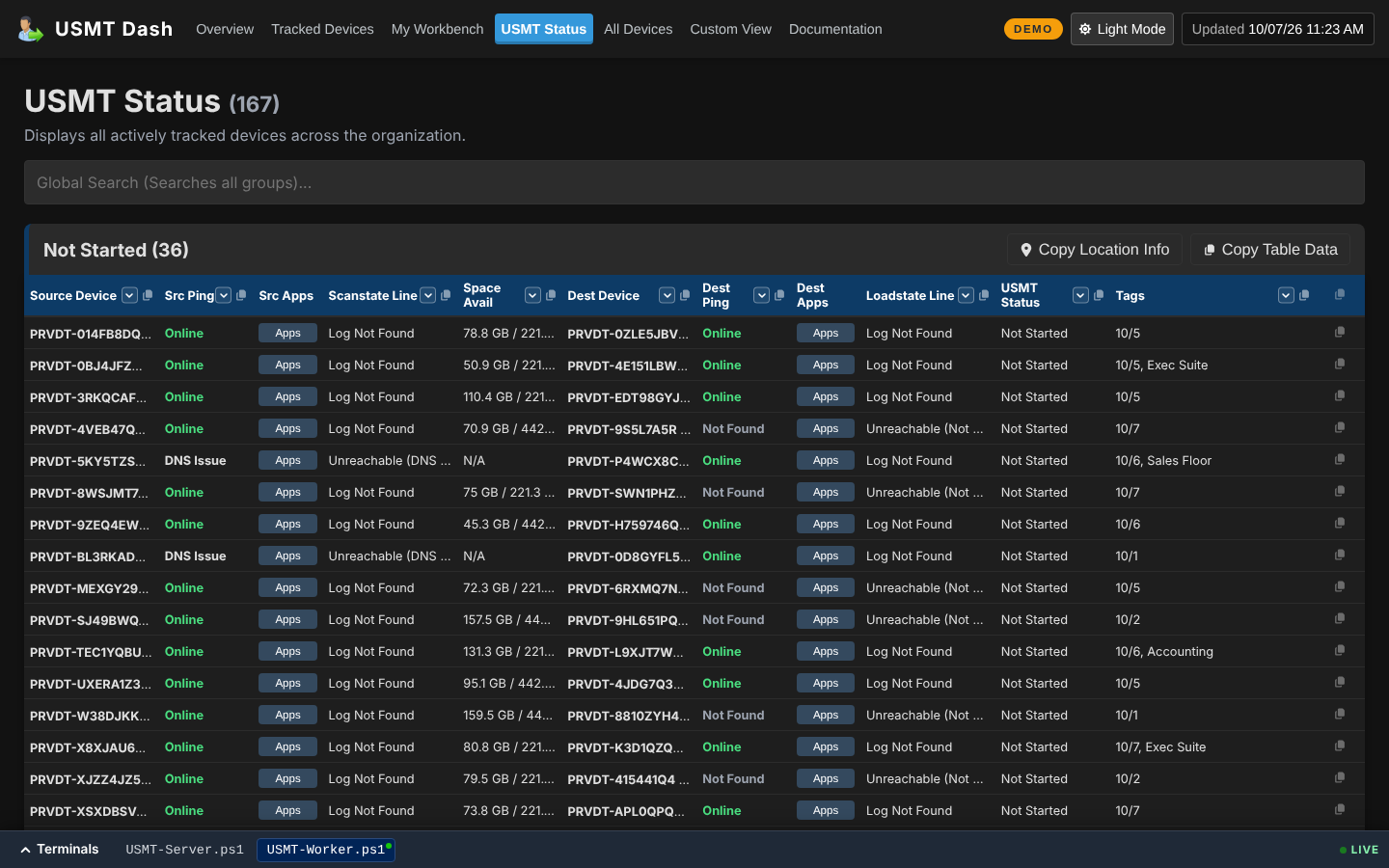
MigrationStatuswith whether the USMT progress log is actively being written, so “in progress” means in progress. - Network checks that tell the truth. It resolves all A records, pings each one and validates reverse DNS, which separates Online, Timed Out, Not Found and DNS Issue (a stale record pointing at a different machine).
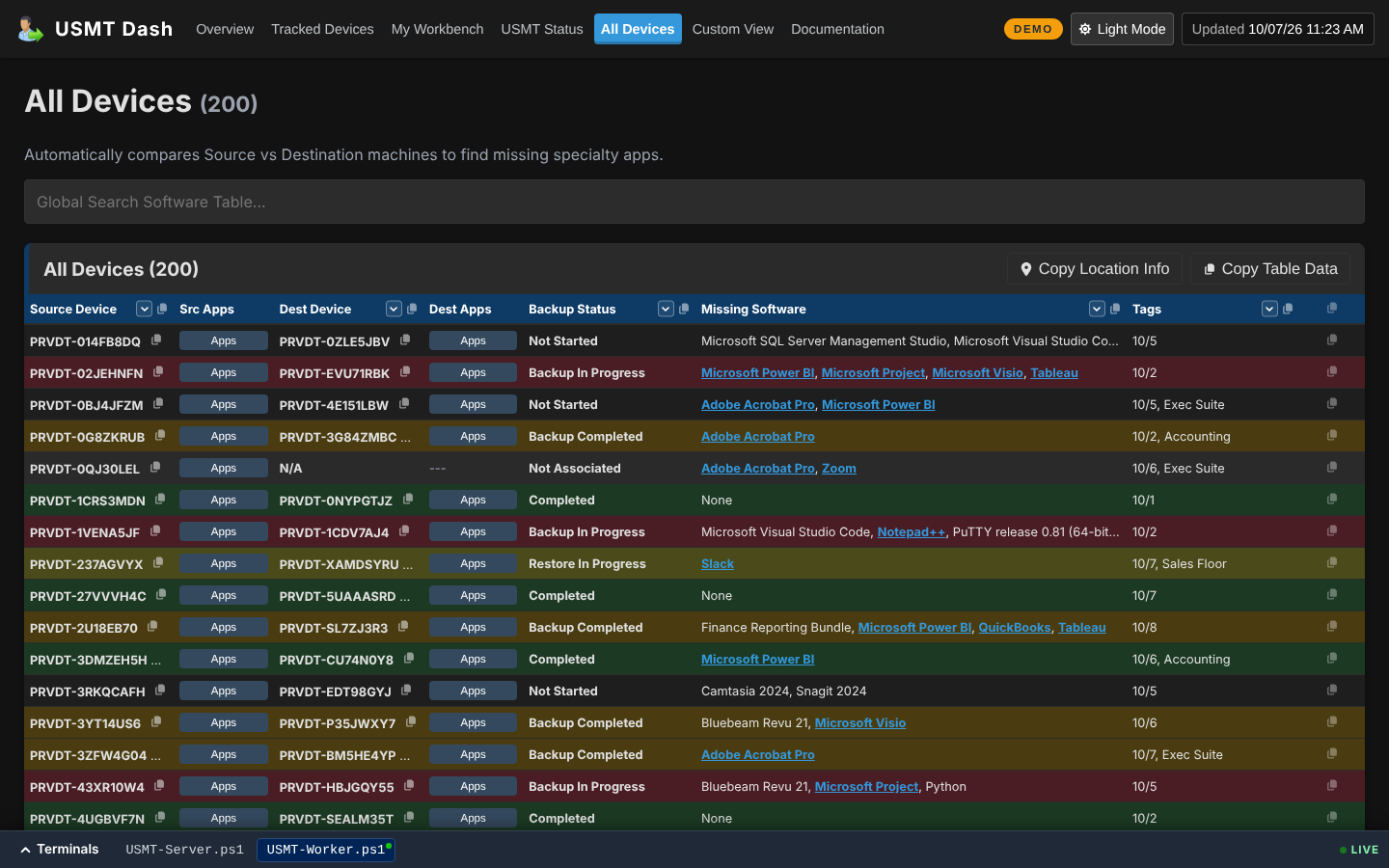
- Missing software. It diffs installed software between the source and destination machines, filters out the baseline image and groups suites, so a technician sees only the specialty apps still left to install.
- Live while it works. Rows publish every few seconds during a sweep, newly tracked devices go first, and the worker sleeps overnight with a midnight pitstop for the software refresh.
The public demo
The hosted demo runs the unmodified server and worker in a container against a simulated 200-device fleet. A demo provider replaces the SCCM provider, and that is the only difference. A simulated team tags, reschedules and fixes devices through the day. Visitor changes stay in their own browser (IndexedDB) and the API is read-only, so there is nothing to moderate or inject. It deploys from Gitea to Coolify like everything else I host.
Outcome
Shipped halfway through the Lurie Children’s FY26 refresh. Daily builds went from roughly 10 to 25, and the project closed about 1,900 machines against a 1,300-device scope, under budget.